
Software
FANUC Dual Check Safety (DCS)
FANUC Dual Check Safety (DCS) Position and Speed Check delivers certified, sensorless safety — monitor robot zones and speeds to simplify cell design.

Course code: WBTDCS0000106E
Dual Check Safety (DCS) training covering setup, configuration, zone checks, speed monitoring, safe I/O, alarm recovery, and advanced safety functions.
See course dates and enroll. A FANUC Academy login is required to register.

This course is covers material relevant to the R-30iA/B/B Plus and R-50iA. It is intended for an operator, technician, engineer or programmer who must set up, teach, test, and modify Dual Check Safety software.
Upon successful completion of this course, the student can identify how to set up and modify DCS General parameters, DCS Position/Speed Check parameters, and DCS Safe I/O parameters. More specifically:
This course consists of content descriptions and examples, interactive modules, and lesson reviews designed to reinforce what the student has learned. A post-test is used to measure the student’s mastery of the objectives.
The recommended order for FANUC robot training, from operator basics through advanced programming, vision and maintenance.
FANUC Dual Check Safety (DCS) Position and Speed Check delivers certified, sensorless safety — monitor robot zones and speeds to simplify cell design.

Advanced FANUC R‑30iA robot controller featuring high-speed motion control, integrated vision support, flexible I/O, networking, and smart automation.
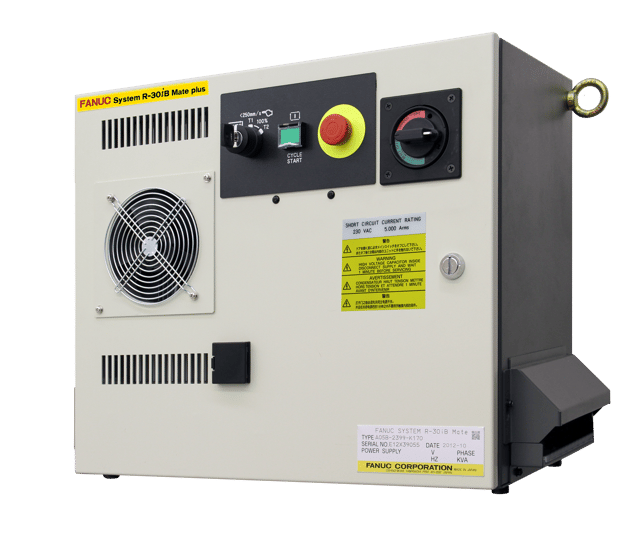
FANUC’s R‑30iB Plus controller delivers fast processing and improved performance, enabling quick setup, easy programming, and high precision.

FANUC R‑50iA controllers deliver smarter, compact automation with enhanced performance, intuitive use, and three flexible cabinet options.

Next-generation FANUC robot controller with advanced motion control, integrated vision, safety functions, energy efficiency, and flexible automation.

CRX Paint eLearn covering CRX paint robot setup, paint plugins, paint teaching, tablet interface configuration, and paint application programming.

Tablet TP Introduction eLearn covering Tablet TP setup, user interface navigation, program creation, execution, plugin functions, and basic robot operation.

1‑hour CNC Guide setup training covering installation, machine composition setup, configuration, and preparation for FANUC virtual and eLearn CNC courses.

40-minute free FANUC CNC introduction covering machine configurations, control components, screen navigation, system fundamentals, and FANUC organization basics.